 Kasitoma
For schools, training centres and course providers
From first enquiry to paid fees, without the spreadsheets
Kasitoma is a CRM for schools, training centres, academies and course providers. It follows each enquiry until enrolment, runs outreach to companies and schools, bills fees with statements and receipts, and keeps documents, contracts and staff tasks together. It is not a student information system: it has no timetables, attendance or grades.
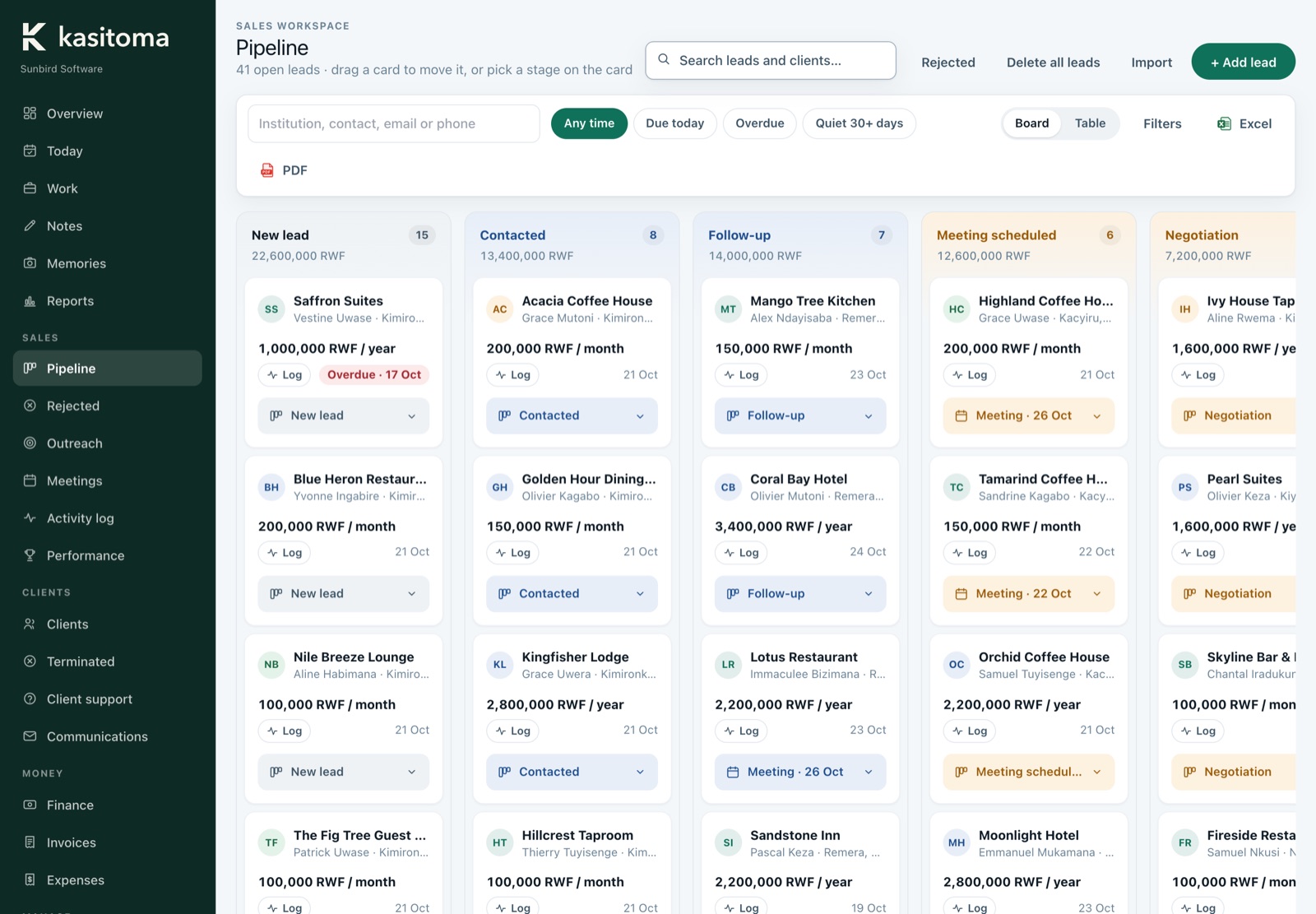
An intake, step by step
How a school or training centre follows its intake in Kasitoma, from the first call to the first payment.
- Enquiries arrive by phone, email or a visit and are added as leads, or imported from Excel after an open day.
- A campus visit or a call with an adviser is booked as a meeting with a reminder.
- Each card has a follow-up date, and the Overdue and Quiet 30+ days filters show who has been left waiting.
- Enrolled: the learner or the sponsoring company becomes a client with a fee package, and the agreement is signed at a link.
- The lead sources and conversion reports show which channels bring enrolments.
How fees come in
Whoever pays, a family, a learner or an employer, is a client with a fee package, a payment day and a statement.
- Fees billed monthly or yearly, with discounts such as siblings or early payment.
- One-off charges for registration, exams, uniforms or materials.
- Invoices and receipts as PDFs with your logo, and payments recorded as they arrive.
- Expected vs collected and receivables aging show unpaid fees by family or company.
How AI agents help a school or training centre
Connect your own Claude or ChatGPT. It works as the person who connected it, with their permissions, and the audit log records every change.
- Add the enquiries from an open day and set a follow-up for each.
- Send the intake reminder to everyone still at the application stage.
- Prepare a statement for a family that asks what it owes.
- Create a campaign to visit companies in a district about staff training, with targets.
Ask your AI agent
With Kasitoma connected to Claude or ChatGPT, you can type things like:
- Add these 12 enquiries from Saturday’s open day as leads, with Open day as the source, and set a follow-up for each on Wednesday.
- Move Sam Okafor to Enrolled and book a welcome meeting with his parents on Monday at 9:00.
- Who has owed fees for more than 30 days? List them with the amounts.
- Create a campaign to visit companies in Hillside in May about our evening courses: 80 contacts, 15 meetings, 5 wins.
- Which lead sources brought the most enrolments this year?
Questions people ask
Is Kasitoma a school management or student information system?
No. It has no timetables, attendance, grades, report cards or online classes. It runs the business side: enquiries, enrolments, outreach, fees, documents and staff tasks, beside the system you use for teaching.
Who is the client: the learner, the parent or the company?
Whoever pays. A client can be a learner, a family or a company that sends its staff on courses, and each has its own fees, statement and contact details.
Can fees be billed per term?
Recurring billing runs monthly or yearly. For term fees, add a charge for each term, or bill yearly and record each payment as it arrives.
Can families pay online through Kasitoma?
No. Families pay the way they do today, by bank transfer, mobile money or at the office, and you record the payment and issue a receipt.
How do we start?
Sign up at kasitoma.com/start and use it at once on a free trial with no card. Import last year’s enquiries from Excel, rename the stages to match your intake, and add your fee packages.
Read next
Let your AI agent do the work
Start a free trial in a minute, connect Claude or ChatGPT, and hand it your sales, billing and admin today.
No card needed · works on any phone